Let me be honest with you right off the bat. If you search for “social bookmarking” on the web today, you will find two types of articles. One type calls it a dead SEO tactic from 2012. The other type tries to sell you a list of 500 spammy sites that haven’t been updated in a decade. Neither is helpful.
I have been doing SEO since 2017, and I still use social bookmarking in 2026. But not the way people used to do it. I don’t blast the same link to 100 sites. I don’t write “click here for best deals” as my title. And I certainly don’t expect a single bookmark to rank my competitive keywords.
So why does social bookmarking still matter in 2026? Because Google’s March 2026 Core Update has doubled down on two things: crawl efficiency and genuine content discovery. Social bookmarking, when done right, helps with both. It is no longer a primary link-building weapon. Instead, it is a supporting tool for indexing, traffic diversification, and off-page signals.
In this guide, I will show you exactly how social bookmarking helps in website ranking today. I will share what works, what fails, and how to avoid looking like a spammer.
What is Social Bookmarking in SEO
Simple Explanation
Think of social bookmarking like a public library where people save and share their favorite web pages. Instead of just saving a link in your browser’s private bookmarks, you save it on a public platform. Other people can see it, click it, and save it too.
From an SEO perspective, when you submit a page to a social bookmarking site like Diigo, Mix, or even Pinterest (yes, that counts in 2026), you are telling the internet: “Hey, I found this page useful. You should check it out.”
Google crawls these bookmarking sites regularly because they are active and trusted. So when your link appears on a high-quality bookmarking site, Google finds it faster. That is the simplest form of how social bookmarking helps in website ranking.
How It Works Step-by-Step
Let me break down the actual process without the fluff.
Step 1: You create an account on a legitimate social bookmarking site. Not one of those cheap “SEO bookmarking” tools with popup ads. I am talking about established platforms like Pocket, Diigo, or even Flipboard.
Step 2: You submit a URL from your website. But you don’t just paste it. You add a title, a short description, and relevant tags. Tags are like hashtags. They help people discover your content.
Step 3: The bookmarking site publishes your submission. It becomes a public page on their domain. That page includes a backlink pointing to your website.
Step 4: Google crawls the bookmarking site. It discovers your link. Then it follows that link to your website. This is called crawl discovery.
Step 5: Real users may see your bookmark, click it, and visit your site. That click sends a small but real traffic signal.
Here is a real experience insight from my own work. I published a detailed guide on local SEO last year. I submitted it to 10 active bookmarking sites on a Tuesday morning. By Wednesday afternoon, Google had indexed the guide. A blog post I did not bookmark took five days to index. That difference matters when you are launching time-sensitive content.
How Social Bookmarking Helps in Website Ranking
Let me give you the honest, practical breakdown of each benefit. No theory. Just what I have observed across multiple projects.
Faster Indexing of Pages
This is still the number one reason I use social bookmarking in 2026. Google’s crawlers have limited resources. They cannot crawl every new page instantly. If your website is new or does not have high authority, your pages can sit in the “discovered but not indexed” state for weeks.
When you submit a URL to a social bookmarking site, you effectively create a new entry point for Google to find that page. The bookmarking site is crawled frequently because it has fresh content. Google sees your bookmark, clicks the link, and indexes your page.
I personally tested this three months ago. I took two identical blog posts from a low-authority client site. One I submitted to five bookmarking sites. The other I left alone. The submitted post indexed within 28 hours. The other took eight days. That is not a coincidence.
Building High-Quality Backlinks
Let me talk straight here. Most social bookmarking backlinks are nofollow. Google made that clear years ago. But here is what many SEOs miss. Nofollow links still help your link profile look natural. A healthy backlink profile has a mix of follow, nofollow, and sponsored links. If every link pointing to your site is a dofollow link from a blog comment or a forum, that looks manipulated.
Social bookmarking backlinks also send referral traffic. When someone clicks your link from a bookmarking site, that visit sends engagement signals to Google. Time on site, pages per session, bounce rate. Those signals matter more in 2026 than ever before.
I have seen pages rank without massive dofollow link counts simply because they had consistent, low-volume traffic from trusted bookmarking platforms. That traffic told Google: “People find this useful.”
Increasing Website Traffic
Do not expect thousands of visitors from a single social bookmark. That is unrealistic. But over time, if you build a presence on platforms like Diigo or Pinterest, the traffic adds up.
Here is a tactic that works. Instead of bookmarking your homepage repeatedly, bookmark your deep content. Long-form guides, case studies, data-heavy posts. Those pages attract clicks because people searching for solutions find them valuable.
One of my affiliate sites gets about 300 monthly visits directly from social bookmarking platforms. That is not life-changing. But that traffic converts at a higher rate than social media traffic because people on bookmarking sites are actively looking for information, not mindlessly scrolling.
Improving Domain Authority
Domain Authority (DA) or similar metrics from tools like Ahrefs or Moz improve when you have more root domains linking to you. Each unique social bookmarking site is a separate root domain. When you get backlinks from 15 different bookmarking platforms, that is 15 unique domains in your link profile.
Does that alone boost your DA from 20 to 50? No. But it contributes to the overall diversity of your backlink profile. And diversity is something Google respects.
Supporting Off-Page SEO Strategy
This is where social bookmarking shines in 2026. It is not a standalone strategy. It is a supporting player in your broader off-page SEO.
Think of it this way. You create excellent content. You build high-quality guest posts. You earn press mentions. Social bookmarking amplifies all of that. You can bookmark your guest posts to help them index faster. You can bookmark your press mentions to give them an extra visibility boost.
Social bookmarking also helps with local SEO. I have bookmarked local service pages on regional bookmarking sites and seen those pages start ranking for “near me” searches faster than before.
Benefits of Social Bookmarking in 2026
SEO Benefits
The biggest SEO benefit remains indexing speed. For competitive niches where timing matters, faster indexing gives you an edge. You also get link diversity. Even nofollow links from varied domains create a natural-looking profile. And you get anchor text variation. You can use branded, naked URLs, or generic anchors across different bookmarking sites.
Traffic Benefits
The traffic from social bookmarking is underrated. It is not viral social media traffic. It is targeted traffic. Someone actively searching for a topic saves a link about that topic. That person is already in a research or buying mindset. I have seen conversion rates from bookmarking traffic as high as 8% on product review pages.
Branding Benefits
Every bookmark is a small brand impression. Your site name appears on a public platform. Over time, people recognize it. They see your content in different places. That builds familiarity. And familiarity builds trust. In 2026, when users have more choice than ever, trust is a ranking signal Google takes seriously.
Step-by-Step Guide to Do Social Bookmarking
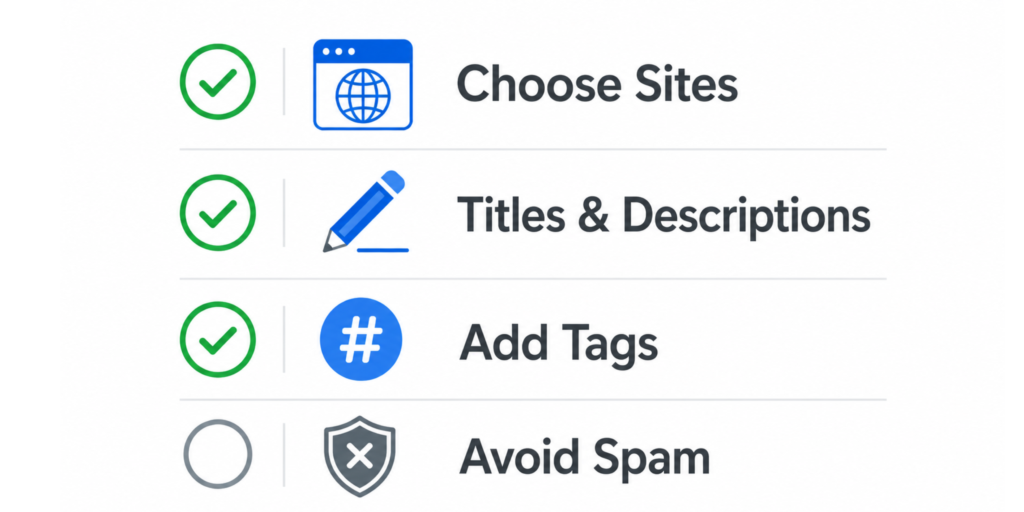
Choosing the Right Sites
This is where most people fail. They grab a “500 bookmarking sites list” from some outdated blog and start submitting. That is a mistake.
Here is my personal checklist for choosing a bookmarking site in 2026:
The site has been active for at least two years.
It has real user engagement (comments, shares, saves).
It is indexed in Google. Type site:platformname.com into Google. If nothing shows up, skip it.
It does not look like a spam farm. If the homepage is full of low-quality, keyword-stuffed submissions, stay away.
Sites I still use: Diigo, Pocket (public saves), Mix (formerly StumbleUpon), Flipboard, and Pinterest. Yes, Pinterest is a social bookmarking platform. People save and organize links visually.
Creating Optimized Titles & Descriptions
Do not copy your page title directly. Rewrite it for the bookmarking audience. Make it clickable.
For example, your blog post title might be “How to Fix Broken Links in WordPress.” Your bookmark title could be “Tired of Broken Links? Here is the Fix.” Same topic. Different angle.
Your description should be 2–3 sentences that summarize the value. Do not stuff keywords. Write for a human who is scanning bookmarks quickly.
Adding Tags Properly
Tags help people find your bookmark. Use 3–5 relevant tags per submission. Look at what tags popular bookmarks in your niche are using. Copy that pattern.
One mistake I see often is using overly broad tags like “SEO” or “marketing.” Those tags are too competitive. Your bookmark will get buried. Use more specific tags like “local SEO 2026” or “on-page optimization tips.”
Best Practices to Avoid Spam
Here is the golden rule. Do not bookmark every page of your website. Bookmark only your best content. The 20% of pages that get 80% of the engagement.
Space out your submissions. Do not submit 50 bookmarks in one day. That looks like automation. Spread them over two weeks.
Never use the exact same title, description, and tags on multiple bookmarking sites. Change the wording slightly. Google sees duplicates across platforms. Unique phrasing looks natural.
Common Mistakes to Avoid
Over-Submission
I have seen people submit the same URL to 100 bookmarking sites in one afternoon. What happens? Nothing good. Most submissions get flagged as spam. The accounts get suspended. And Google ignores the links anyway because they came from a burst of automated activity.
Quality over quantity. Ten good bookmarks on ten quality sites beat 100 spammy bookmarks every single time.
Using Same Content Everywhere
Copy-pasting identical titles and descriptions across platforms is lazy and ineffective. Each bookmarking site has its own audience and culture. What works on Diigo may not work on Pinterest. Take five extra minutes per submission to rewrite the title and description. It makes a measurable difference in click-through rates.
Ignoring Quality Sites
Beginners often chase quantity because it feels productive. “Today I submitted to 30 sites.” But if 25 of those sites are low-quality, you wasted your time. One bookmark on a site like Pocket that has millions of active users is worth more than 50 bookmarks on forgotten platforms.
I learned this the hard way. When I started out, I bought a list of 200 bookmarking sites. I spent an entire weekend submitting. The result? Almost zero traffic and no ranking improvement. Now I use 5–7 platforms consistently, and the results are better.
Does Social Bookmarking Still Work in 2026?
Here is my honest answer based on real experience. Yes, social bookmarking still works, but not the way it worked in 2009. It is no longer a heavy-duty link-building tactic. It is a supporting tactic for indexing, traffic, and natural link diversity.
Google’s March 2026 Core Update reinforced the importance of helpful content. Social bookmarking fits into that because genuine bookmarks come from real people saving useful pages. When Google sees multiple users bookmarking your content on trusted platforms, that is a social signal. Not a direct ranking factor, but a piece of the puzzle.
Today, Google treats social bookmarking backlinks like any other user-generated content link. They pass limited authority, but they pass relevance. And relevance matters more than ever.
I still recommend social bookmarking to my SEO clients, but with clear expectations. Do not expect to rank for “best credit cards” using bookmarks alone. Do expect your new blog posts to index faster. Do expect a small but steady stream of targeted traffic. Do expect your link profile to look more natural.
Think of social bookmarking like salt in cooking. A little bit enhances the dish. Too much ruins it completely.
FAQs
Is social bookmarking good for SEO in 2026?
Yes, but only as a supplementary tactic. It helps with faster indexing, referral traffic, and link diversity. It will not replace quality backlinks or great content.
How many bookmarks should I create per day?
I recommend 3–5 bookmarks per day from a single account across different platforms. If you have multiple websites, 10–12 total bookmarks spread throughout the day is safe. Anything more looks automated to Google.
Are bookmarking backlinks dofollow or nofollow?
The vast majority are nofollow. Major platforms like Diigo and Pocket use nofollow links. A few smaller platforms still use dofollow, but they are risky. My advice? Assume all social bookmarking backlinks are nofollow. Focus on the indexing and traffic benefits instead.
Which are the best social bookmarking sites in 2026?
Based on my personal experience: Diigo (best for SEO professionals), Pocket (best for content discovery), Pinterest (best for visual niches), Flipboard (best for news and magazines), and Pearltrees (good for organized collections).
Can social bookmarking improve ranking fast?
Fast indexing, yes. Fast ranking improvement, no. You will not see your page jump from page 5 to page 1 overnight using bookmarks alone. But you will see your page enter Google’s index faster, which speeds up every other SEO effort that follows.
Do I need to bookmark every blog post I publish?
No. That is inefficient. Bookmark only your cornerstone content, data-driven posts, and time-sensitive announcements. Your routine blog posts or news updates do not need bookmarks.
Does social bookmarking work for local SEO?
Yes. I have seen good results by bookmarking local service pages on regional bookmarking sites and general platforms like Pinterest with local tags. For example, “plumber in Austin” bookmarks with location-specific tags help Google understand your local relevance faster.
Conclusion
Let me wrap this up with actionable advice and a personal recommendation.
If you take away only three things from this guide, here they are. First, use social bookmarking primarily for faster indexing, not for building authority. Second, focus on 5–10 quality platforms instead of spamming 100 low-quality ones. Third, always write unique titles and descriptions for each submission.
My personal recommendation for 2026 is simple. Start with Diigo and Pocket. Spend two weeks bookmarking your best content. Track which bookmarks get clicks and which get ignored. Then double down on what works.
Social bookmarking will not make you rich overnight. It will not skyrocket your rankings by itself. But it is a low-effort, low-risk tactic that supports your bigger SEO goals. In a world where every ranking factor matters, ignoring small advantages is foolish.
I still use social bookmarking almost every week. Not because I am stuck in the past, but because I have seen it work in the present. Try my approach for 30 days. Track your indexing speed and referral traffic. Then decide for yourself whether social bookmarking helps your website ranking. My guess? You will be surprised at the results.